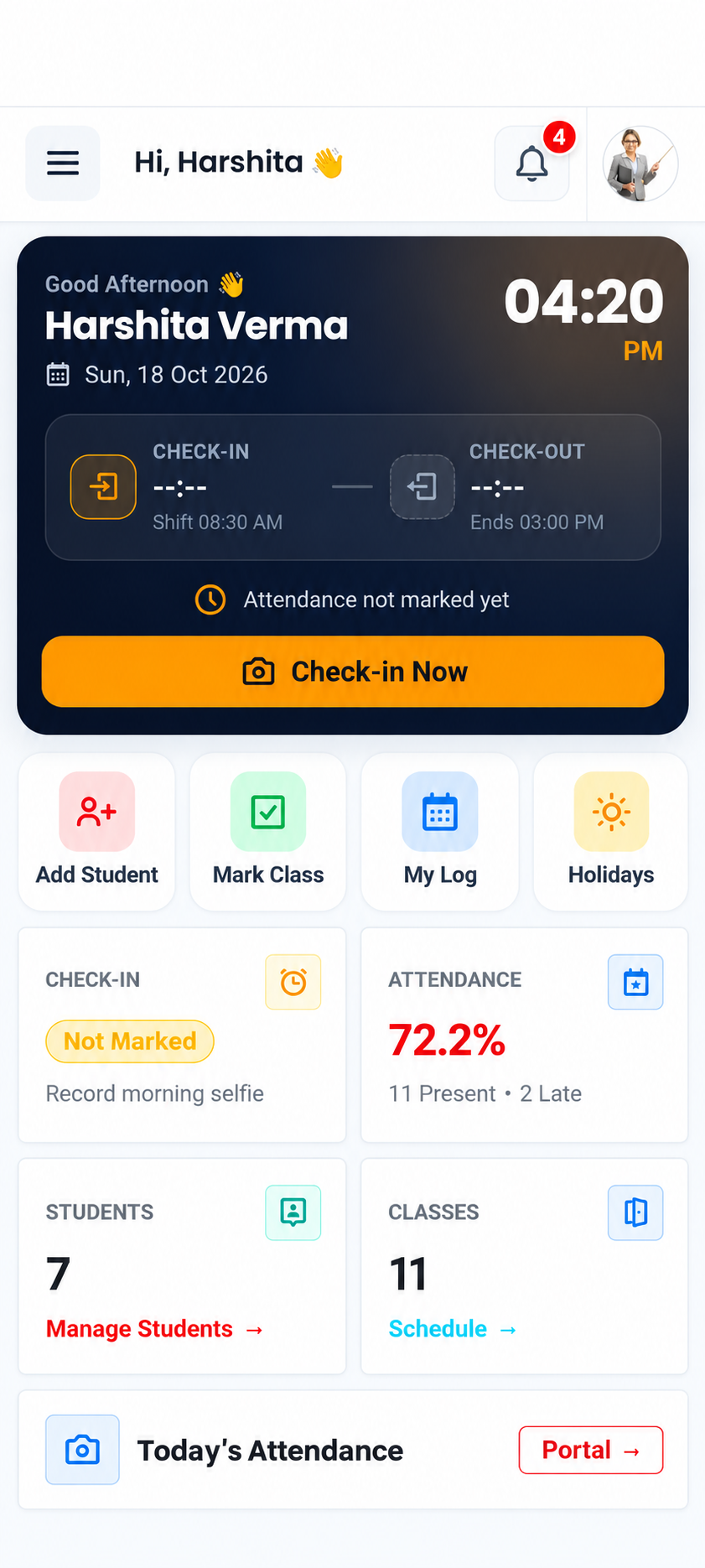
Teacher attendance
Start with a clear view of who is in.
Review teacher selfie check-in and check-out records, with visibility into late arrivals and early departures.
- Selfie check-in / out
- Daily attendance
Teachers, students, attendance and fees — organised together.
Give every school day a clearer start and a simpler finish.
Profiles, check-ins and monthly records in one place.
Student records, attendance and fee workflows together.
YOUR SCHOOL, CONNECTED
Keep the daily essentials organised across teachers, students, academics and accounts.
Profiles, attendance and monthly registers.
Explore workspaceStudent details, daily marking and monthly views.
Explore workspaceSessions, classes and teacher allocation.
Explore workspaceFee heads, collection, reports and ledger.
Explore workspaceA DAY AT YOUR SCHOOL
Explore a typical workflow through the modules you use every day.
THE DETAILS THAT HELP
Review late-coming and early-going records alongside attendance timings.
Take a closer look →Keep holidays and weekly off days in your school calendar.
Take a closer look →Allocate primary and secondary teachers, with proxy responsibilities in view.
Take a closer look →Bring student details, pending fees and reports into the portal experience.
Take a closer look →FOR THE PEOPLE BEHIND THE SCHOOL DAY
Explore the workflows relevant to your role.
SCHOOL ADMIN
Review teacher and student records, attendance, academic setup and fee workflows in one organised school workspace.
Explore your workspace →ON YOUR DESK. IN YOUR HAND.
Explore SchoolERP on laptop, tablet and mobile. Keep school information in view wherever the day takes you.
Explore device views

GETTING STARTED
Start with a walkthrough and discuss the modules, records and workflows your school needs.
Discuss your classes, sessions, teacher records and fee processes.
See the relevant modules and product screens in a walkthrough.
Agree on data, access and the steps needed for your school.
Teacher management, teacher attendance and monthly registers, attendance timing, holidays, student records and attendance, academic sessions, classes, teacher allocation and fee management.
Yes. Browse the screen gallery, open a module and enlarge its screen. Fee workspace illustrations are marked as previews.
The fee module includes collection and console, reports and ledger, fee heads and class-wise fee structure.
Yes. Open the device views page and switch between laptop, tablet and mobile previews.
Book a walkthrough or contact Sanjay Pratap directly to discuss your school’s requirements, setup and pricing.
LET’S EXPLORE YOUR SCHOOL’S WORKFLOW
Share a few details and prepare a WhatsApp enquiry for Sanjay Pratap.
LET’S MAKE SCHOOL WORK SIMPLER
Explore your teacher, student, attendance and fee workflows in a personal walkthrough.